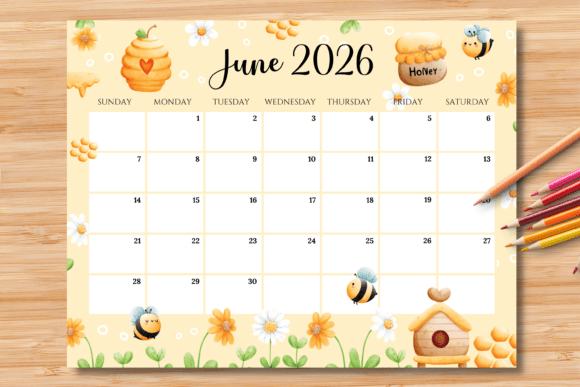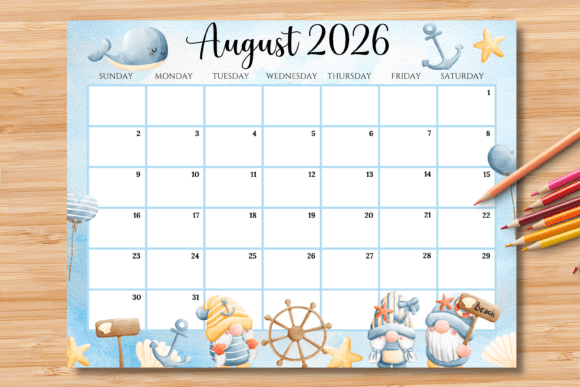
Editable/Fillable August 2026 Calendar
Staying organized for the month ahead should feel effortless and visually appealing, not like a chore. An Editable/Fillable August 2026 Calendar offers a perfect blend of practicality and clean design, providing a versatile template you can personalize for work, home, or creative projects. This isn't just a static grid; it's a flexible design asset that adapts to your specific needs, helping you plan with clarity and style.
This particular calendar is designed for maximum utility. It includes one editable and printable PDF file alongside a high-quality printable PNG file, giving you options whether you prefer digital editing or a straightforward print-and-write approach. The US letter size (11 x 8.5 inch) horizontal layout is familiar and spacious, making it easy to jot down appointments, deadlines, or personal goals. The thoughtful design ensures that the editable blue boxes disappear upon printing, leaving you with a clean, professional-looking calendar.
Practical Uses Beyond Simple Scheduling
While the primary function is organization, the utility of an editable calendar extends into various creative and professional realms. Its clean, structured format makes it an excellent foundation for projects that require clear date displays.
- Brand & Office Materials: Use it to create internal planning documents, project timelines, or branded calendars for clients that reflect a company's visual identity.
- Digital & Print Publishing: Integrate it into editorial designs for newsletters, blogs, or magazines that feature monthly content or event schedules.
- Retail & Hospitality: Design promotional calendars for packaging inserts, in-store displays, or as part of a hospitality welcome kit.
- Personal & Community Projects: Craft custom calendars for school fundraisers, community center activity boards, or personalized family planners.
Tips for Customization and a Polished Result
To get the most out of your Editable/Fillable August 2026 Calendar, a few simple steps will ensure a seamless experience. The editing process is designed for computers using the free Adobe Acrobat Reader software. Simply open the PDF, type your information into the designated blue boxes, and use the "Ctrl+E" (Windows) or "Command+E" (Mac) shortcut to access text formatting tools for adjusting font, size, and color. This level of control allows you to match the calendar's typography to your brand's existing style guide or a specific project's aesthetic.
Remember that the editable fields are intentionally limited to the blue boxes to maintain the design's integrity. This ensures that the overall layout, graphics, and non-date text remain consistent, which is crucial for preserving a professional appearance. Whether you're a designer creating a client deliverable or an individual organizing your month, this structured approach guarantees a clean, uncluttered final product.
Choosing a well-designed, functional template like this one simplifies the planning process and elevates the presentation of your schedule. It transforms a basic utility into a polished piece of your personal or professional toolkit, proving that even the most practical items can benefit from thoughtful design and flexibility. For August 2026 and beyond, having a reliable, customizable calendar at your fingertips is a small but significant step toward organized and inspired productivity.