Shiny Chrome Text Effects for Modern Designs
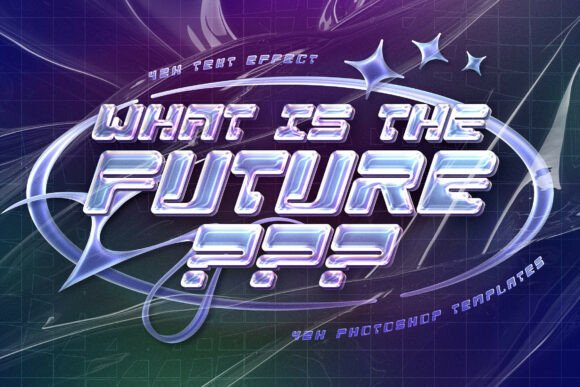
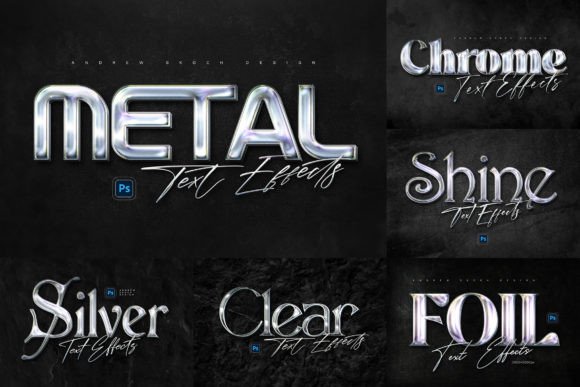
Transforming your standard text into a striking, metallic statement is easier than you think. With the right Chrome Text Effects, you can instantly elevate any headline, logo, or shape into a cool, reflective style that grabs attention. Imagine presenting your design on a textured dark wall, complete with realistic shadows and highlights. This collection offers six distinct, shiny chrome styles, allowing you to create a professional look without complex manual editing. Whether you are designing a cinematic title, a YouTube channel banner, or a high-impact poster, these effects provide a polished, premium finish.
Creative Versatility for Any Project
The true power of a great design asset lies in its adaptability. These chrome effects are not limited to one type of project. They are perfect for creating a memorable brand identity or a standout logo. Consider using them for:
- Poster and Flyer Design: Make event titles or promotional headlines pop with a metallic sheen.
- Social Media Graphics: Design eye-catching Facebook covers, Instagram posts, or YouTube thumbnails that stop the scroll.
- Web and Digital Design: Add a futuristic or luxurious feel to website banners, hero sections, or app interfaces.
- Packaging and Merchandise: Mock up product labels, apparel designs, or special edition packaging with a sleek, modern typography style.
- Editorial and Title Design: Craft cinematic titles for movies, book covers, or magazine layouts that demand a bold visual presence.
Why Choose a Smart Object Workflow?
Efficiency is key in modern design. This template uses Smart Object replacement, a feature that makes customization incredibly simple. You just need to open the designated smart layer, place your own text, shape, or logo, save, and watch the chrome effect apply automatically. This non-destructive method preserves the original lighting, shadows, and reflections, ensuring your design looks integrated and realistic. It’s an easy way to present your work in a cool metallic style, saving you hours of manual work in Photoshop.
Tips for Selecting and Using Chrome Effects
While a shiny chrome effect is visually powerful, context is everything. Here are a few practical tips for integrating it into your workflow:
- Consider Readability: Highly reflective fonts work best for short, impactful text like headlines or logos. For body copy, pair it with a clean sans serif font to maintain clarity.
- Match the Mood: Chrome effects convey modernity, technology, luxury, or retro-futurism. Ensure this aligns with your project's overall tone and message.
- Test Font Pairings: If you're using the effect on text, the included free font links allow you to install the exact typeface used. Test how it pairs with your primary body font for visual consistency.
- Review the Styles: With six different PSD files included, take a moment to review each style. Some may have a warmer tone, others a cooler, more industrial feel. Choose the one that best complements your color palette.
The right design asset can streamline your creative process and significantly improve the professional presentation of your work. By using these Chrome Text Effects, you gain access to a versatile set of tools that can enhance everything from brand identity projects to social media graphics. The high-resolution files (3000×2000 px at 300 DPI) ensure your designs look sharp in both digital and print formats. With well-organized layers and full editability, you have complete creative control to adjust the effects to your exact needs. Start experimenting with these metallic styles to discover how they can add a unique, polished edge to your next project.